Description
Kinefinity VISTA Active E Mount 6K full-frame cinema camera
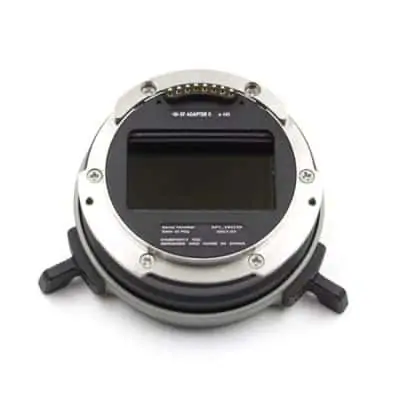
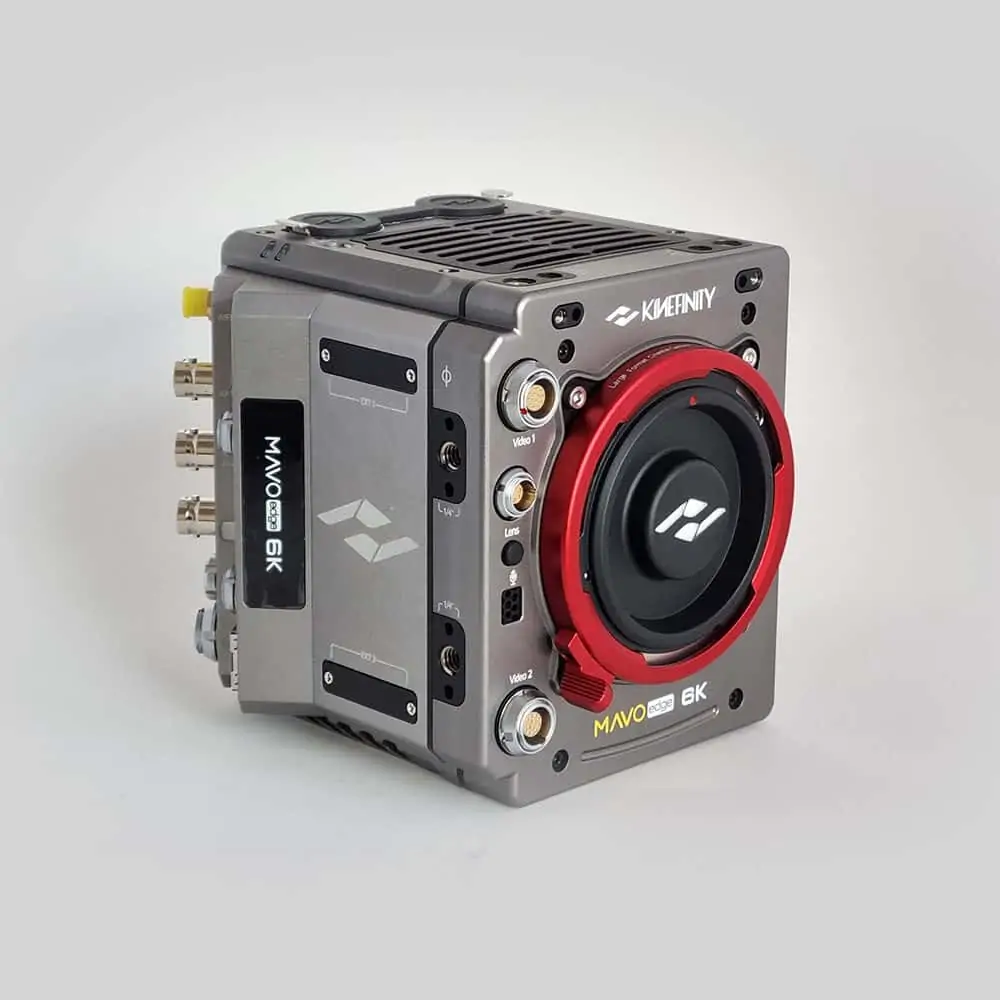
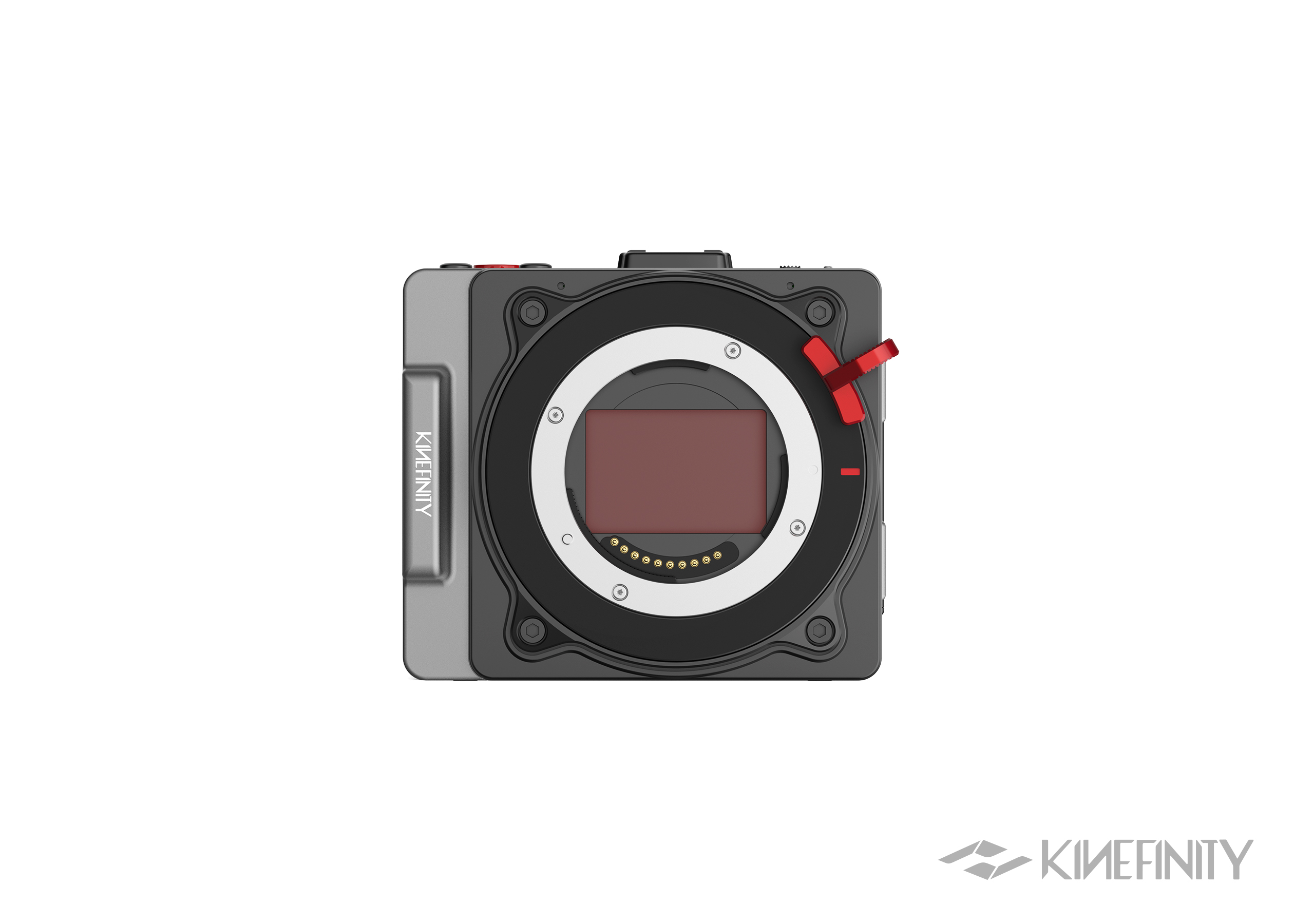
The Kinefinity VISTA combines a full-frame 6K sensor, internal 10-bit ProRes and H.265 recording, a 4-inch OLED touchscreen and a built-in 220GB SSD. You can shoot with a lens and a suitable power source without first adding an external monitor, recorder or recording card. This version comes with Active E Mount fitted, for compatible native E-mount lenses and third-party lens adapters.
Build the rig around native E or adapted PL glass
The advantage of Active E is the space available between its short-flange lens interface and the sensor. A PL-to-E adapter occupies that space and can include a drop-in ND or variable filter. This gives a compact PL rig a route to behind-the-lens filtration while the camera retains its E-mount assembly. When the PL adapter comes off and a native E lens goes on, its filter goes with it; native E glass then needs its own filtration arrangement.
Treat the adapter as part of the lens rig. Check its PL-lens clearance, filter specification and support provisions, particularly with larger lenses. A passive PL-to-E adapter establishes the mechanical registration; it does not create electronic PL communication. Native E lenses use the mount contacts for the electronic functions supported by that lens and the VISTA, while focus remains manual.
This route differs from the Kinefinity PL e-ND adapter, which attaches to KineMOUNT. If that electronic ND system or an electronic EF adapter is central to your lens package, compare the KineMOUNT body assembly before buying adapters. Our VISTA lens mount guide shows the three interfaces and explains which parts stay on the camera when you change lenses.
6K Open Gate and lens coverage
The VISTA’s 36 × 24mm sensor records up to 6016 × 3984 in 3:2 Open Gate. Rather than limiting the recording to a widescreen strip of the sensor, Open Gate retains the taller image. This gives you more room to adjust the composition vertically, create different delivery aspect ratios or reframe a shot during a 4K finish.
Using the complete sensor requires a lens that covers its 43.3mm diagonal. A full-frame lens is therefore the starting point for Open Gate shooting. An APS-C E-mount lens or Super 35 PL lens may fit the camera but require a smaller recording window to avoid dark corners. Mount compatibility and sensor coverage are separate questions.
For anamorphic lenses, the camera also offers 4:3 and 6:5 recording windows. These taller formats let you choose the captured area around the lens’s squeeze factor and the intended final aspect ratio. For example, the 4096 × 3432 mode with a 2× anamorphic lens produces an approximately 2.39:1 image after desqueezing. The selected window must still fall within the lens’s usable coverage.
Oversampled 4K and cropped recording
The VISTA can record 4K in two ways. The difference is not just resolution: it changes how much of the sensor you use.
Oversampled 4K DCI takes the full-width 6K 17:9 sensor readout and reduces it to 4096 × 2160. It retains the 36 × 19.1mm recording area, so you keep the same field of view as the corresponding 6K mode while recording a 4K file.
Cropped 4K DCI records from a smaller 24.5 × 12.9mm area. With the same lens and camera position, the framing becomes tighter. This mode requires a smaller lens image circle and allows higher frame rates.
With firmware 10.1, the full-width 6K modes reach 39 fps in Open Gate, 50 fps in 17:9 and 60 fps in 2.4:1. For faster recording, Super 35 crop modes reach 92 fps in 4K DCI and 120 fps in 4K 2.4:1. The Codecs & FPS tab lists the recording resolutions, frame rates and active sensor areas so you can choose a mode around your lenses and delivery requirements.
Dual base ISO, KineLOG3 and LUTs
The VISTA has dual base ISO settings of 800 and 5120, providing normal and high-sensitivity operating ranges. It records KineLOG3 for a grading workflow in which contrast, colour and the final display rendering are established in post-production.
When recording Log, you can use the built-in 709 or Neutral LUT, or load a custom monitoring LUT, to view the image with a more finished contrast and colour treatment. A monitoring-only LUT changes what you see, not the recorded Log image. You can therefore make lighting and exposure decisions against a viewing look without committing that look to the footage.
The optional LUT burn-in setting does something different: it applies the look to the recorded image itself. Use monitoring-only LUTs when you intend to grade the footage; use burn-in when you deliberately want to record the chosen rendering.
Active E lenses and third-party adapters
With Active E fitted, compatible E-mount lenses attach directly to the camera without an additional adapter. The mount’s electronic contacts allow the camera to communicate with supported lenses, including aperture adjustment, lens information and optical lens stabilisation where available.
Active E does not mean autofocus. The VISTA is operated as a manual-focus cinema camera. Electronic functions depend on the individual lens and its compatibility with the camera; a lens having an E mount does not guarantee that every electronic feature will work.
E mount also provides room for adapting lenses from systems with a longer flange distance—the distance between the lens mounting surface and the sensor. A PL-to-E adapter fills that space and holds a PL lens at the correct distance. You can therefore switch between native E-mount lenses and adapted PL lenses while leaving the camera’s Active E mount in place. A passive adapter provides the mechanical connection only; it does not add electronic lens control.
Kinefinity does not support electronic adapters for using EF lenses on Active E. For an EF lens collection that needs electronic aperture control, choose KineMOUNT with a dedicated Kinefinity EF adapter instead.
ND filtration with native and adapted lenses
The VISTA has no built-in ND filter. With native E-mount lenses, plan for front-mounted filters or a matte box.
With adapted PL lenses, another option is to put the filters inside the adapter. The MOFAGE POCO II in PL-to-E configuration, for example, accepts PL lenses on the Active E camera and provides interchangeable drop-in filters. Its standard filter components include variable ND and Pure Clear.
The variable ND reduces incoming light so you can maintain your chosen aperture and shutter setting as the scene gets brighter. For low-light work, replace it with Clear. Because the filtration sits behind the lens, it does not depend on the front filter diameter of each PL lens.
This arrangement is specifically for PL lenses attached through the adapter. It does not add behind-the-lens ND to native E-mount lenses: when you remove the adapter to attach an E-mount lens, you also remove its filter system. The adapter and filters are not included with the camera.
Interchangeable mounts and KineMOUNT adapters
The Active E assembly can be replaced with KineMOUNT or Active PL using the camera’s four-screw attachment and the correct installation procedure. This is a camera setup change, rather than a normal lens change.
KineMOUNT gives access to Kinefinity’s separate PL, EF and LPL adapters, including electronic ND options. Once KineMOUNT is installed, its adapters attach through a locking bayonet: changing between adapters is a lens-style operation that does not require removing the camera-side mount. Active PL instead lets you attach PL lenses directly, with ND supplied through front filters or a matte box. See our VISTA lens mount guide for the complete comparison.
The camera-side KineMOUNT, Active E Mount and Active PL Mount assemblies are also available separately. For KineMOUNT filtration, choose the PL e-ND adapter or the PL Clear + e-ND combo; the EF 3 Clear + e-ND combo is the corresponding option for EF lenses. The PL e-ND adapter covers 2–7 stops and has no Clear position, so the combo includes a separate Clear adapter.
Internal recording, media and OLED monitoring
The VISTA records ProRes 422 HQ, ProRes 422 and ProRes 422 LT, alongside H.265 Max, High and Normal, in 10-bit QuickTime files. ProRes recording takes place inside the camera; an external recorder is not required.
The 220GB internal SSD lets you record without inserting a separate card. The CFexpress Type B slot adds removable storage for longer shoots or a workflow in which cards are handed off for backup while the camera continues working with another card.
The articulating 4-inch, 6:5 OLED touchscreen displays the complete 3:2 Open Gate image with space above and below for camera information. Its rotating design lets you reposition the screen for different shooting angles. Together, the built-in display and internal recording make it possible to keep a handheld or gimbal setup small, adding external monitoring only when the operating position or production requires it.
Power and external monitoring
The camera uses GripBAT 2Si or compatible NP-F550 batteries. For external power, the locking 2-pin DC input accepts 10–20V. USB-C2 also accepts 12V USB Power Delivery, but this connection requires a battery to remain installed in the camera.
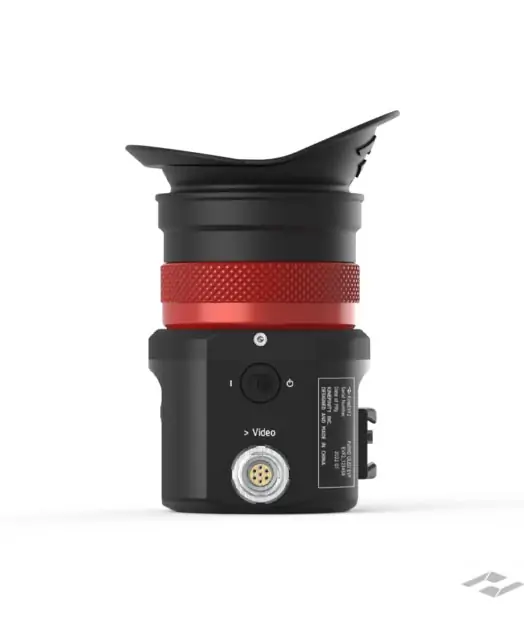
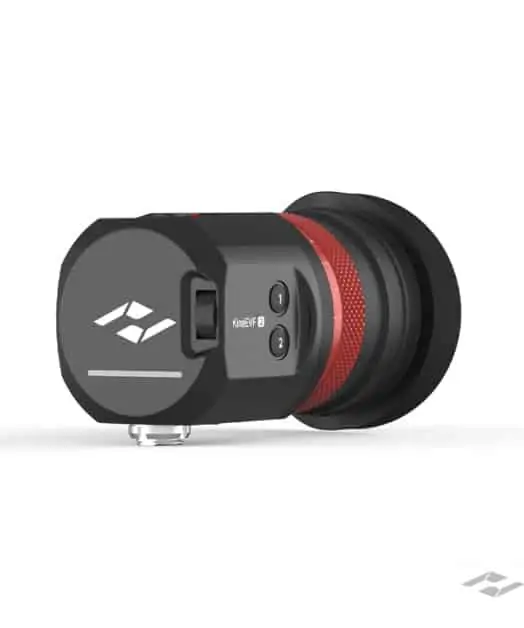
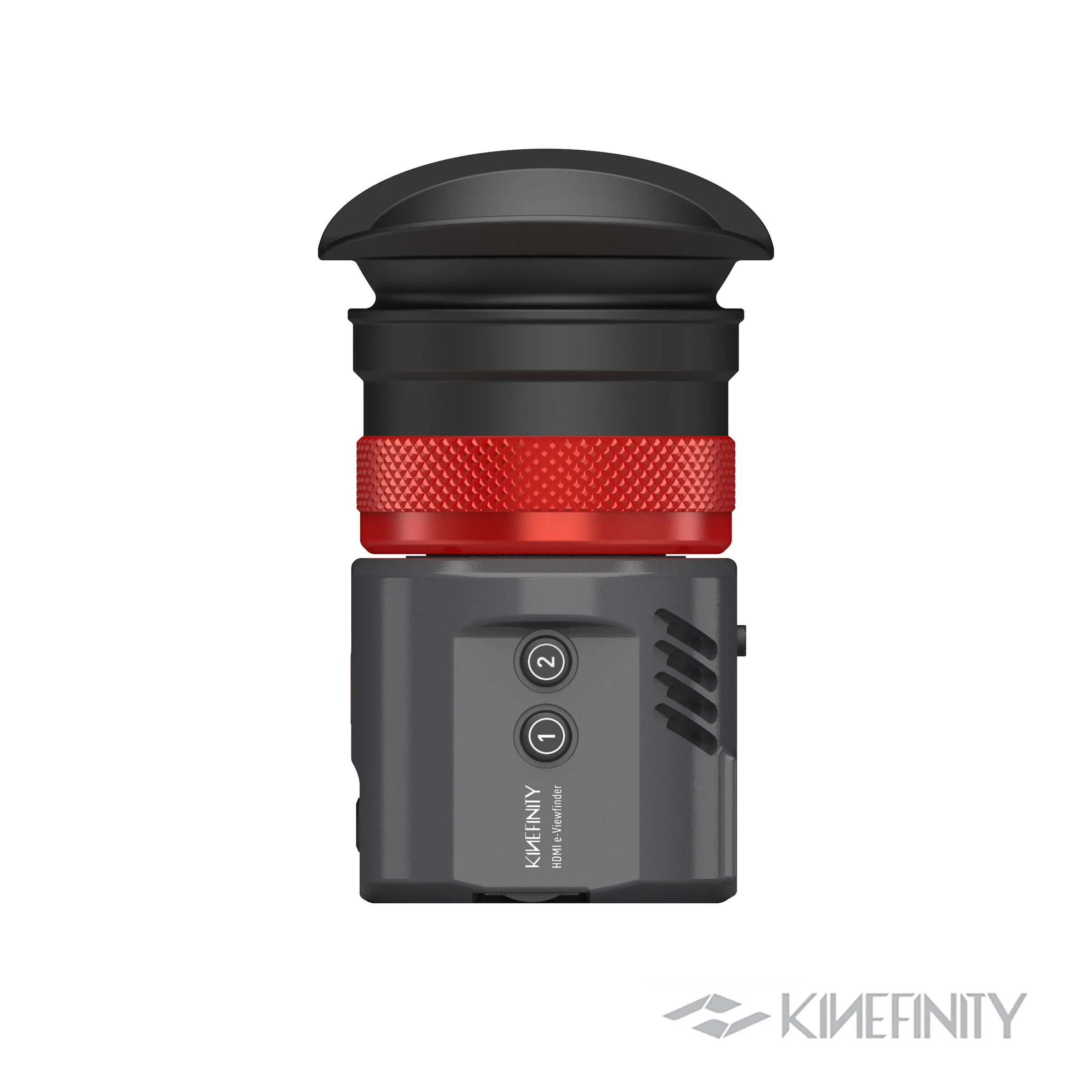
Two full-size HDMI outputs provide connections for external monitoring, including the Kinefinity EAGLE HDMI viewfinder. This allows you to add a viewfinder or larger screen without changing the internal recording arrangement.
Included with the camera and accessory packages
The package includes the VISTA body with your selected mount fitted, a USB-C to locking 2-pin power cable and a 50cm USB-C cable. Gafpa Gear also includes the VISTA LUT Pack. A lens and a suitable battery or external power supply are purchased separately.
For a compact handheld package, the VISTA Core Kit adds a side handle, two batteries, a charger, a 512GB CFexpress card and a reader, plus an HDMI cable and strap. The VISTA Pro Kit adds a cage and active top handle, increases the battery count to four and includes two 512GB cards. Both are accessory packages; the camera and lenses are separate purchases.
Shot on VISTA by Gafpa Gear
We filmed SLEEP AWAKE DREAM, a film by Norbert Storm, entirely with the VISTA, using a Ronin-S and a tripod, with lenses including Dulens Cambrian Primes. The grade uses our VISTA-to-ARRI ALEXA Log transform, which is currently in development. The film shows a finished creative treatment rather than an ungraded camera test.
Watch the film and read the production notes in the Footage tab. The Reviews tab contains independent Newsshooter coverage, and Kinefinity Guides provides firmware information and operating guides.
For help choosing a complete setup, contact [email protected] with the lenses you use, your preferred ND arrangement and whether you plan to shoot handheld, on a gimbal or from a supported rig.
Kinefinity VISTA specifications
| Specification | Details |
|---|---|
| Supplied mount | Active E Mount; camera SKU A011-001-02 |
| Sensor | Full-frame CMOS, 36 × 24 mm; maximum recording size 6016 × 3984 |
| Image circle | 43.3 mm at full 6K Open Gate |
| Base ISO | 800 and 5120 |
| Dynamic range | 14 stops, as specified by Kinefinity |
| Shutter | Rolling shutter; 0.7°–358° shutter angle |
| Optical filter | Optical low-pass filter with UV and IR filtering |
| Colour workflow | KineLOG3; built-in 709 and Neutral monitoring LUTs; custom monitoring LUT support |
| Recording media | 220GB internal SSD and CFexpress Type B |
| Display | 4-inch 6:5 OLED touchscreen; 700 nits; rotating and articulating design |
| HDMI connections | Two full-size Type-A HDMI outputs; available output modes depend on firmware |
| USB connections | USB-C1 for host/accessory functions; USB-C2 for media transfer and 12V PD input |
| Audio | Internal mono microphone, 3.5mm mic/timecode input, UAC USB-C mic support with firmware 10.1 |
| Audio monitoring | 3.5mm headphone output and built-in speaker |
| Audio recording | 16-bit, 48kHz linear PCM |
| Battery | GripBAT 2Si; NP-F550-compatible form factor |
| DC input | 10–20V through a locking 0B 2-pin connector |
| USB-C power | 12V USB PD through USB-C2; an in-camera battery is required |
| Typical power figure | 7.5W for the manufacturer’s 4K 25p monitoring example at 400-nit screen brightness |
| Wireless | 2.4GHz Wi-Fi and Bluetooth; functions depend on firmware and app support |
| KineMOUNT body weight | 610g without battery; 700g with GripBAT 2Si. Weight varies by mount configuration. |
| Body dimensions | 101 × 87 × 65 mm, manufacturer reference dimensions |
Lens mounts can be changed
The camera-side mount uses a four-screw attachment. KineMOUNT, Active E and Active PL can be exchanged with the correct hardware and installation procedure. KineMOUNT requires a separate lens adapter; the native Active PL mount has no built-in ND. See the Overview tab for the lens setup supplied with this product.
Firmware and feature availability
Firmware 10.1 adds higher recording frame rates, full-frame oversampled 4K 50p in ProRes 422 HQ, UAC microphone support and improved lens and anamorphic metadata. Install a supported firmware version before relying on those functions.
Kinefinity’s FAQ schedules gyroscope metadata for post-production stabilisation and UVC webcam mode for a Q4 2026 firmware/app update. These are upcoming features. VISTA does not provide autofocus or sensor-shift IBIS.
Manufacturer specifications and FAQ · Firmware 10.1 release notes
VISTA codecs, resolutions and frame rates
Choose the sensor area as well as the resolution. Cropped modes use a smaller part of the sensor and change the field of view. Oversampled modes reduce a larger sensor readout to a smaller recording resolution.
Recording codecs
| Codec | File format | Bit depth | Reference setting |
|---|---|---|---|
| ProRes 422HQ | QuickTime .mov | 10-bit | KineLOG3 / supported look settings |
| ProRes 422 | QuickTime .mov | 10-bit | KineLOG3 / supported look settings |
| ProRes 422LT | QuickTime .mov | 10-bit | KineLOG3 / supported look settings |
| H.265 Max | QuickTime .mov | 10-bit | 400Mbps @4K 25fps |
| H.265 High | QuickTime .mov | 10-bit | 200Mbps @4K 25fps |
| H.265 Normal | QuickTime .mov | 10-bit | 80Mbps @4K 25fps |
The H.265 bitrate examples above apply to 4K at 25 fps. They are not fixed values for every recording mode. All listed codecs are 10-bit. Kinefinity confirms that VISTA currently has no internal RAW, ProRes 4444 or external ProRes RAW recording.
Recording modes
The limits below follow Kinefinity’s detailed mode table and the firmware 10.1 update. For a particular codec at the maximum listed speed, confirm availability in the installed firmware. Swipe each table sideways on a small screen to see the full sensor-area details.
Full frame and larger sensor windows
| Mode | Recorded pixels | Frame rate | Active area | Image circle |
|---|---|---|---|---|
| 6K OG | 6016×3984 | 5–39fps | 36×24mm | ø43.3mm |
| 6K 17:9 | 6016×3172 | 5–50fps | 36×19.1mm | ø40.8mm |
| 6K 2.4:1 | 6016×2520 | 5–60fps | 36×15.2mm | ø39.1mm |
| 4K OG (Oversampling) | 3840×2464 | 5–39fps | 34.5×22.3mm | ø41.1mm |
| 4K DCI (Oversampling) | 4096×2160 | 5–50fps | 36×19.1mm | ø40.8mm |
| 4K HD (Oversampling) | 3840×2160 | 5–50fps | 34.5×19.5mm | ø39.6mm |
| 5.7K 3:2 | 5760×3700 | 5–42fps | 34.5×22.3mm | ø41.1mm |
| 6K UHD | 5760×3240 | 5–48fps | 34.5×19.5mm | ø39.6mm |
| 5.7K 2.4:1 | 5760×2400 | 5–60fps | 34.5×14.4mm | ø37.4mm |
| 5K 4:3 | 5120×3700 | 5–42fps | 30.6×22.3mm | ø37.9mm |
| 5K DCI | 5120×2700 | 5–58fps | 30.6×16.2mm | ø34.6mm |
| 5K 2.4:1 | 5120×2160 | 5–72fps | 30.6×12.9mm | ø33.2mm |
| 4.6K 6:5 | 4608×3700 | 5–42fps | 27.6×22.3mm | ø35.5mm |
Super 35 crop
| Mode | Recorded pixels | Frame rate | Active area | Image circle |
|---|---|---|---|---|
| 4K 6:5 | 4096×3432 | 5–58fps | 24.5×20.5mm | ø31.9mm |
| 4K 4:3 | 4096×3072 | 5–65fps | 24.5×18.4mm | ø30.6mm |
| 4K 3:2 | 4096×2700 | 5–74fps | 24.5×16.1mm | ø29.3mm |
| 4K DCI | 4096×2160 | 5–92fps | 24.5×12.9mm | ø27.7mm |
| 4K 2.4:1 | 4096×1600 | 5–120fps | 24.5×9.6mm | ø26.3mm |
| 4K UHD | 3840×2160 | 5–92fps | 23.0×12.9mm | ø26.4mm |
| 3.8K 2.4:1 | 3840×1600 | 5–120fps | 23.0×9.6mm | ø24.9mm |
| 3.7K 4:3 | 3712×2700 | 5–74fps | 22.2×16.1mm | ø27.4mm |
| 3.3K 6:5 | 3328×2700 | 5–74fps | 19.9×16.1mm | ø25.6mm |
Micro Four Thirds sensor crop
| Mode | Recorded pixels | Frame rate | Active area | Image circle |
|---|---|---|---|---|
| 3K DCI | 3072×1620 | 5–120fps | 18.4×9.7mm | ø20.8mm |
| 3K 2.4:1 | 3072×1200 | 5–162fps | 18.4×7.2mm | ø19.8mm |
| 3K HD | 2944×1620 | 5–120fps | 17.6×9.7mm | ø20.1mm |
| 3K HD 2.4:1 | 2944×1200 | 5–162fps | 17.6×7.2mm | ø19.0mm |
Super 16 crop
| Mode | Recorded pixels | Frame rate | Active area | Image circle |
|---|---|---|---|---|
| 2K DCI | 2048×1080 | 5–178fps | 12.3×6.5mm | ø13.9mm |
| 2K 2.4:1 | 2048×860 | 5–200fps | 12.3×5.1mm | ø13.3mm |
| 2K FHD | 1920×1080 | 5–178fps | 11.5×6.5mm | ø13.2mm |
| 1.9K 2.4:1 | 1920×800 | 5–200fps | 11.5×4.8mm | ø12.5mm |
Open Gate reaches 39 fps; full-width 6K 17:9 reaches 50 fps and 6K 2.4:1 reaches 60 fps. In Super 35, 4K DCI/UHD reaches 92 fps, while the wider crop modes reach 120 fps. The Micro Four Thirds label here describes a sensor crop; it does not mean the camera accepts native MFT lenses.
Kinefinity VISTA recording modes · VISTA firmware updates at Gafpa Gear
Shot on Kinefinity VISTA: SLEEP AWAKE DREAM
A Gafpa Gear film by Norbert Storm. Filmed entirely with the Kinefinity VISTA, using a Ronin-S and a tripod, with lenses including Dulens Cambrian Primes. Norbert Storm is the creative name used for this Gafpa Gear film.
Watch SLEEP AWAKE DREAM on YouTube
Camera and colour workflow
- Camera: Kinefinity VISTA for the entire film.
- Support: Ronin-S gimbal and tripod.
- Lenses: including Dulens Cambrian Primes.
- Grading: Gafpa Gear’s upcoming VISTA-to-ARRI ALEXA Log transform was used in the colour workflow.
The film presents a finished grade. The transform is an upcoming Gafpa Gear release; its use here does not imply that it is already available to download.
Film credit: Norbert Storm; starring Bobby Valentijn Bock. Crew credited on the film: Nadia De Vries, Rob Sint Jago, Bernice Nauta and Lars Kroon.
Camera-original samples
For testing files in your own editing and grading workflow, visit Kinefinity’s VISTA footage page. Check the recording settings and whether a look has been baked into each sample.
Independent VISTA coverage
Newsshooter: shipping and firmware update at IBC 2026
Matthew Allard ACS · 12 September 2026
A recent update covering shipping progress, firmware 10.1 and demonstrations of forthcoming features at IBC. This helps put early hands-on reports in context as the camera develops.
Read Newsshooter’s IBC 2026 VISTA update
Newsshooter: early hands-on with a pre-production VISTA
Matthew Allard ACS · 4 June 2026
A hands-on look at the camera’s body, handling and design. The article was made with an engineering sample and explicitly notes unfinished firmware. Read it as early pre-production coverage; use current manufacturer specifications for recording limits and supported features.